Cloud Connections
Cloud Connections are the link between the Bueno Edge Gateway (BEG) and the Bueno platform. They are foundational to publishing data to the platform from BACnet and Modbus networks. More specifically, a Cloud Connection establishes a link to an Integration in the Bueno platform to which points, and data they produce, can be published.
There are currently two types of Cloud Connection, Modbus and BACnet. A Modbus connection is the pathway via which Modbus points and history data are published to the platform and conversely a BACnet connection allows the same for BACnet points. Each connection will have its own separate Integration in the platform. (It is possible to use the same Integration for both but this is not recommended.) Only one of each connection type is allowed.
Creating a Cloud Connection
1. Navigate to Cloud Connections
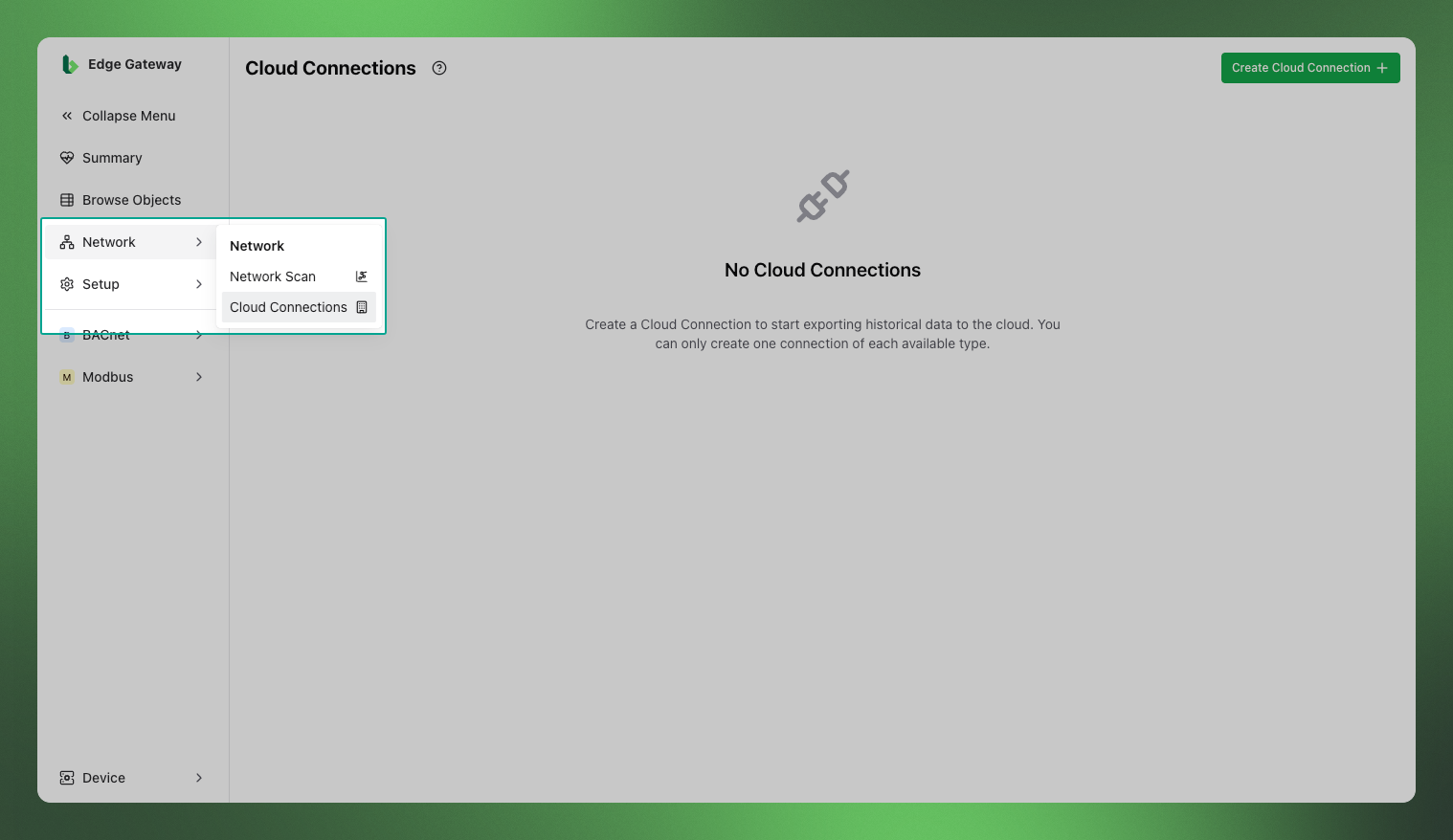
Using the navigation, click the Network, then select Cloud Connections.
2. Create a Cloud Connection
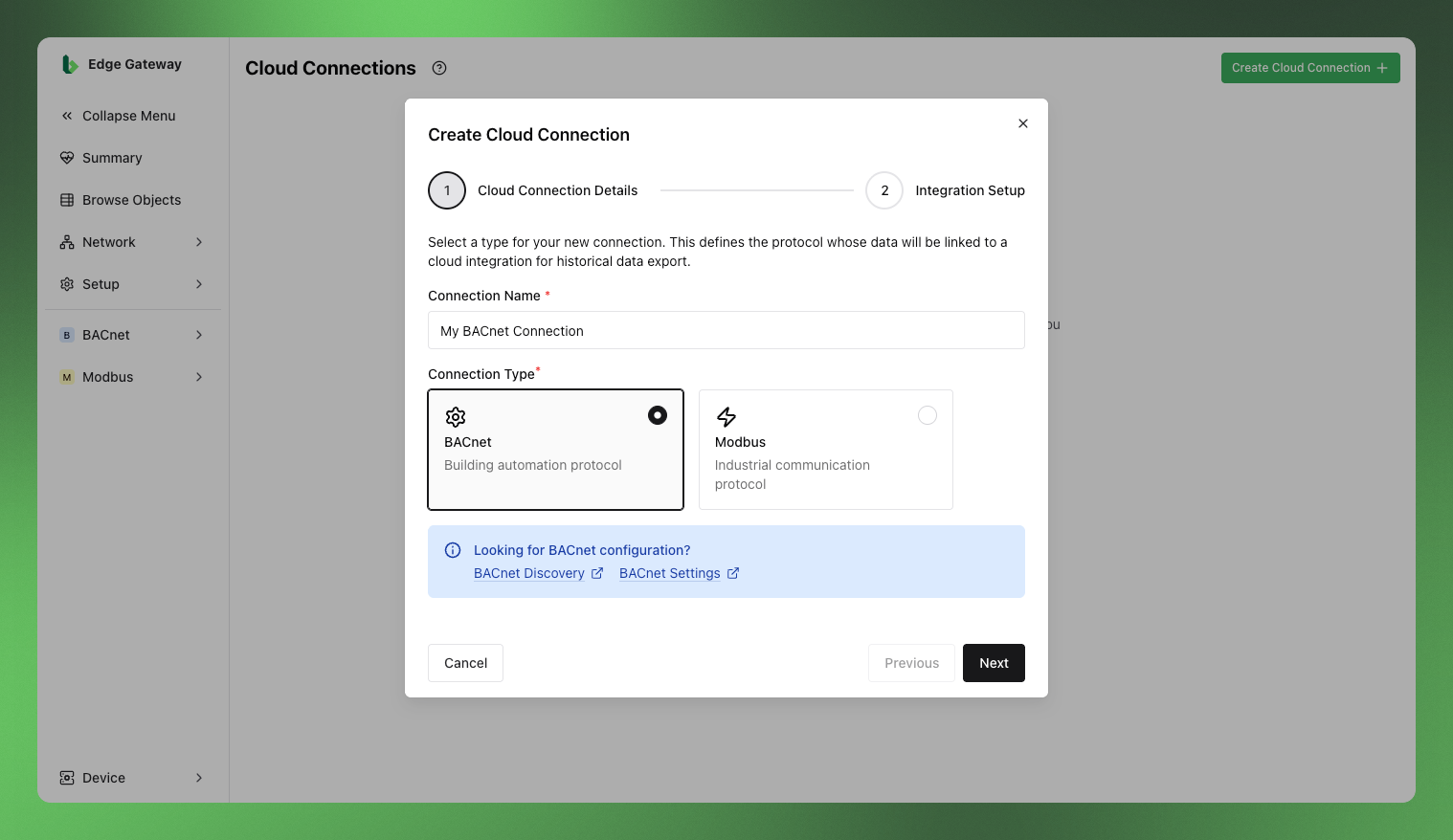
Click the Create Cloud Connection + button in the top right.
In the dialog that opens, name your connection and select its type. If you have BACnet points you need to publish, select BACnet, and the same applies to Modbus.
If you have BACnet and Modbus connection types, you'll need to create a Cloud Connection for each type.
Once you are done, select Next to continue.
3. Select your Organisation & Integration
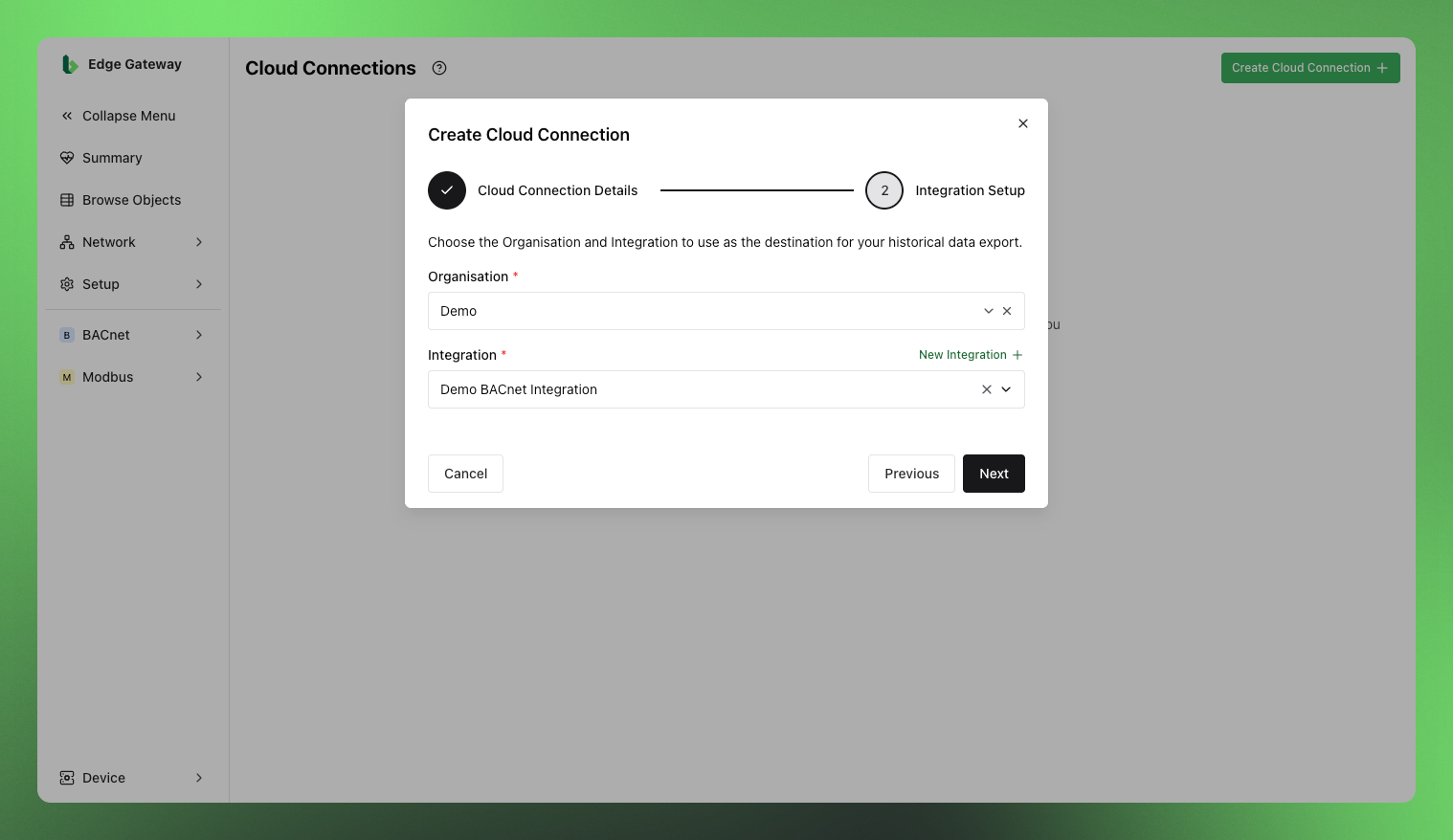
Select the Organisation in the Bueno platform that points and data will be published to.
Typically the BEG will only have access to one Organisation anyway, as selected during the installation process.
Next, if you already have an Integration available, select your Integration.
3a. Create an Integration
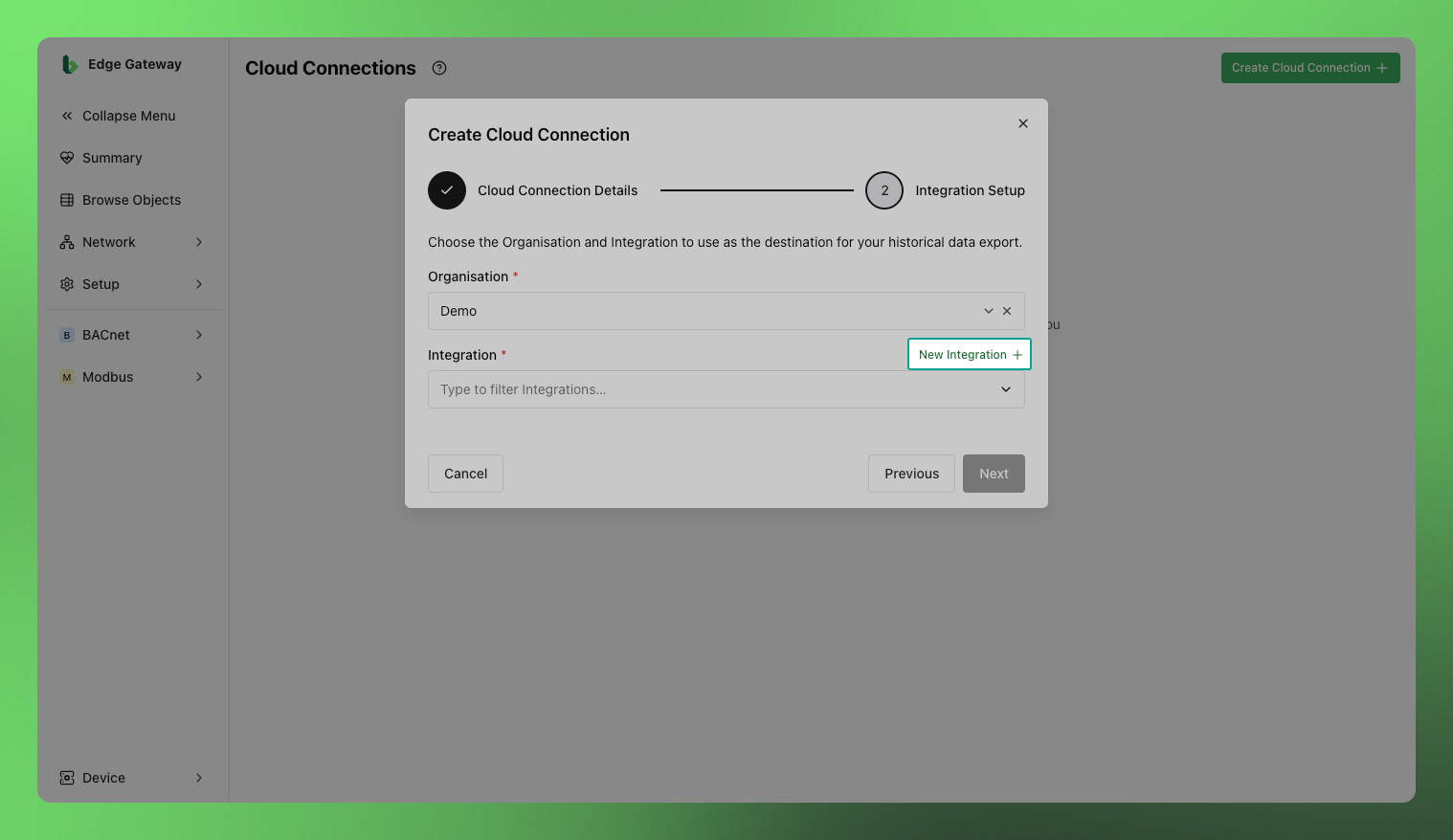
If an Integration is not yet available, select New Integration +.
In the dialog that opens, enter the name of the Integration and its timezone. Then select Create to create your Integration in the Bueno platform.
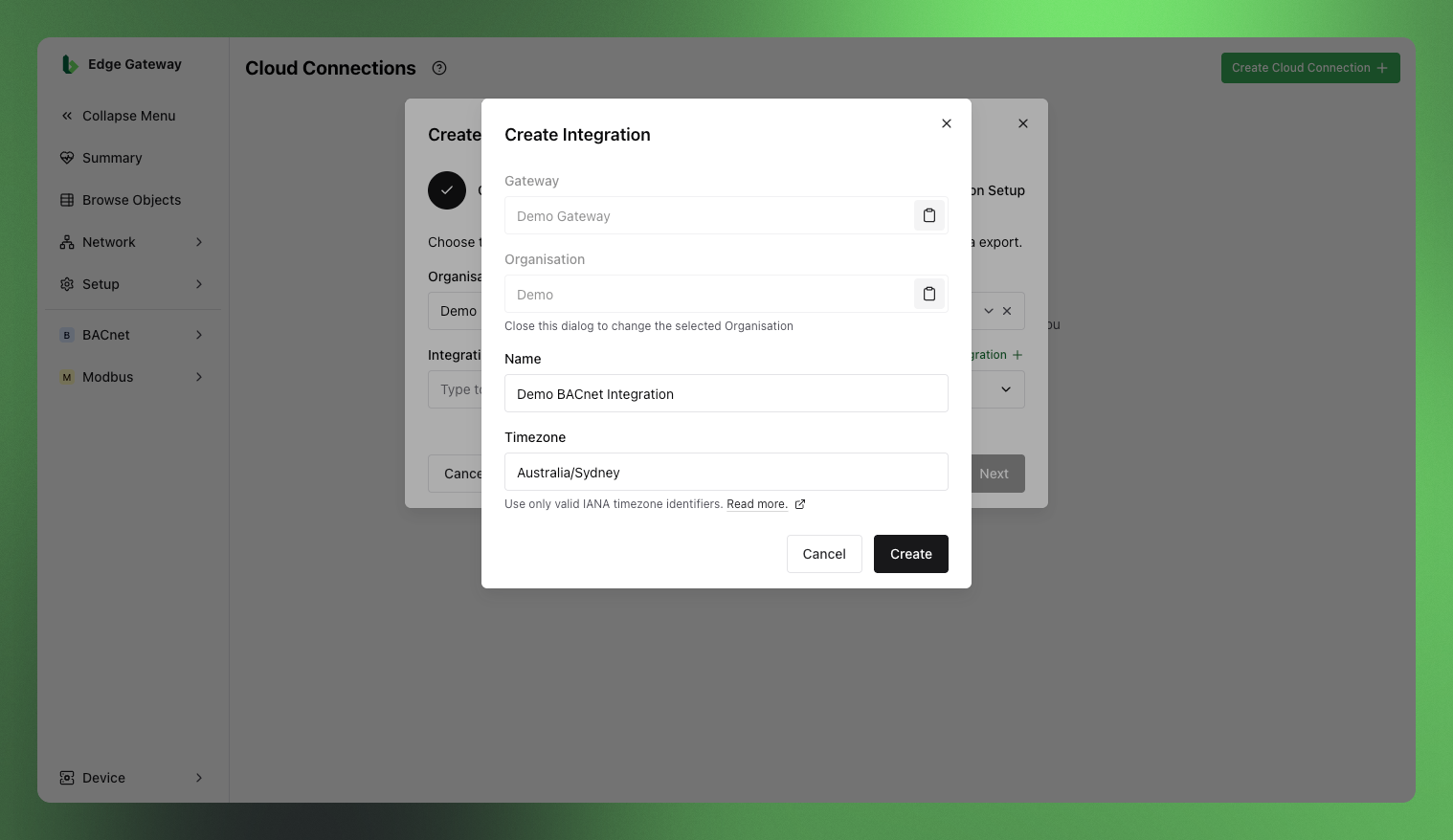
The name of the Integration will need to be unique within the Organisation in which it is being created, so choose something descriptive (e.g. "123 Main St BACnet") to avoid clashes.
4. Verify the Cloud Connection
After creating the Integration, you will be returned to the original dialog, which should now have the newly created Integration selected.
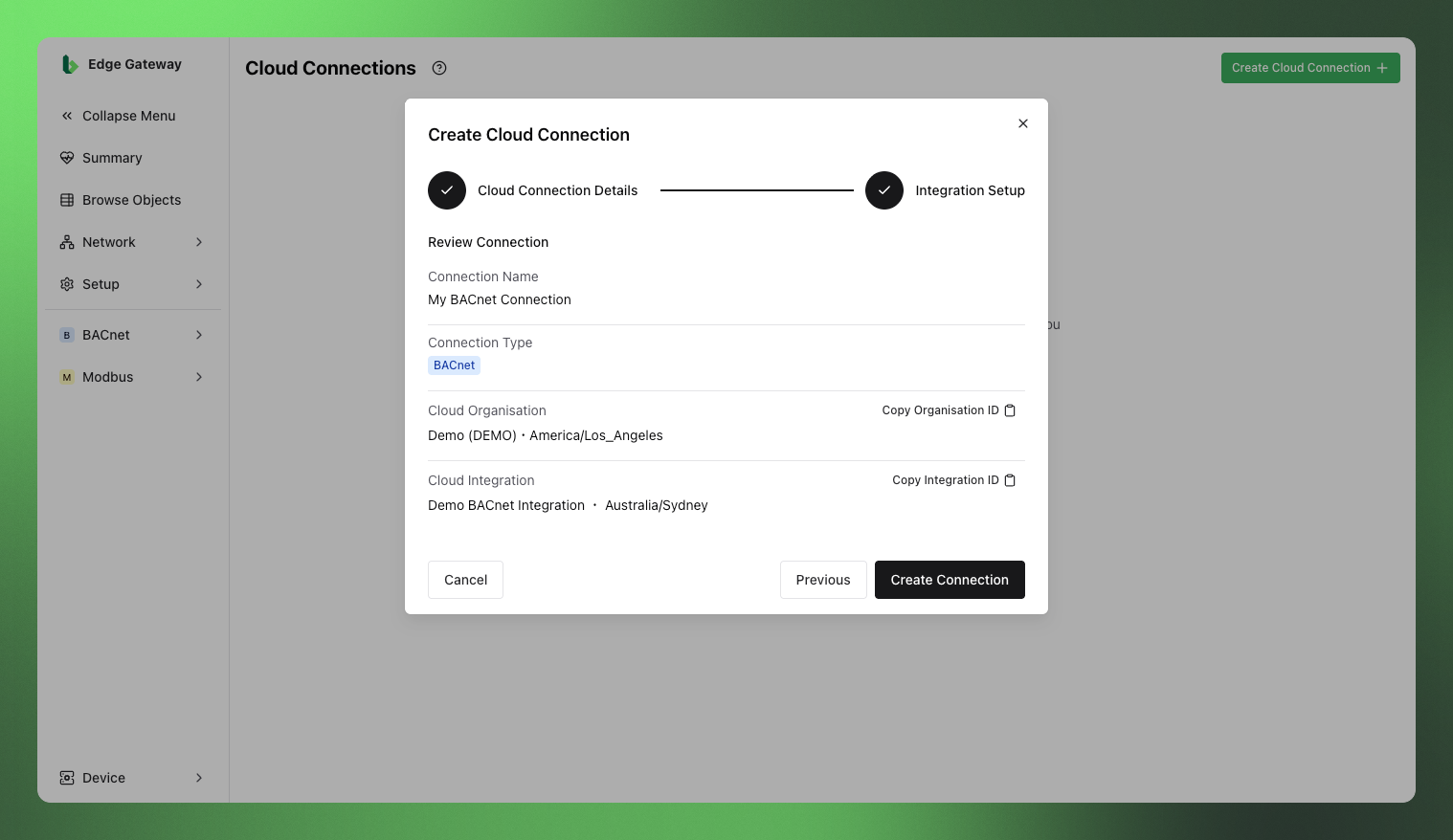
Click Next to continue to the review stage, where you can see a summary of the Cloud Connection. If all the details are correct, create the connection by selecting Create Connection.
Deleting a Cloud Connection
If you no longer need a Cloud Connection you can delete it. Select Delete for the Cloud Connection and enter the name of the connection to confirm deletion.
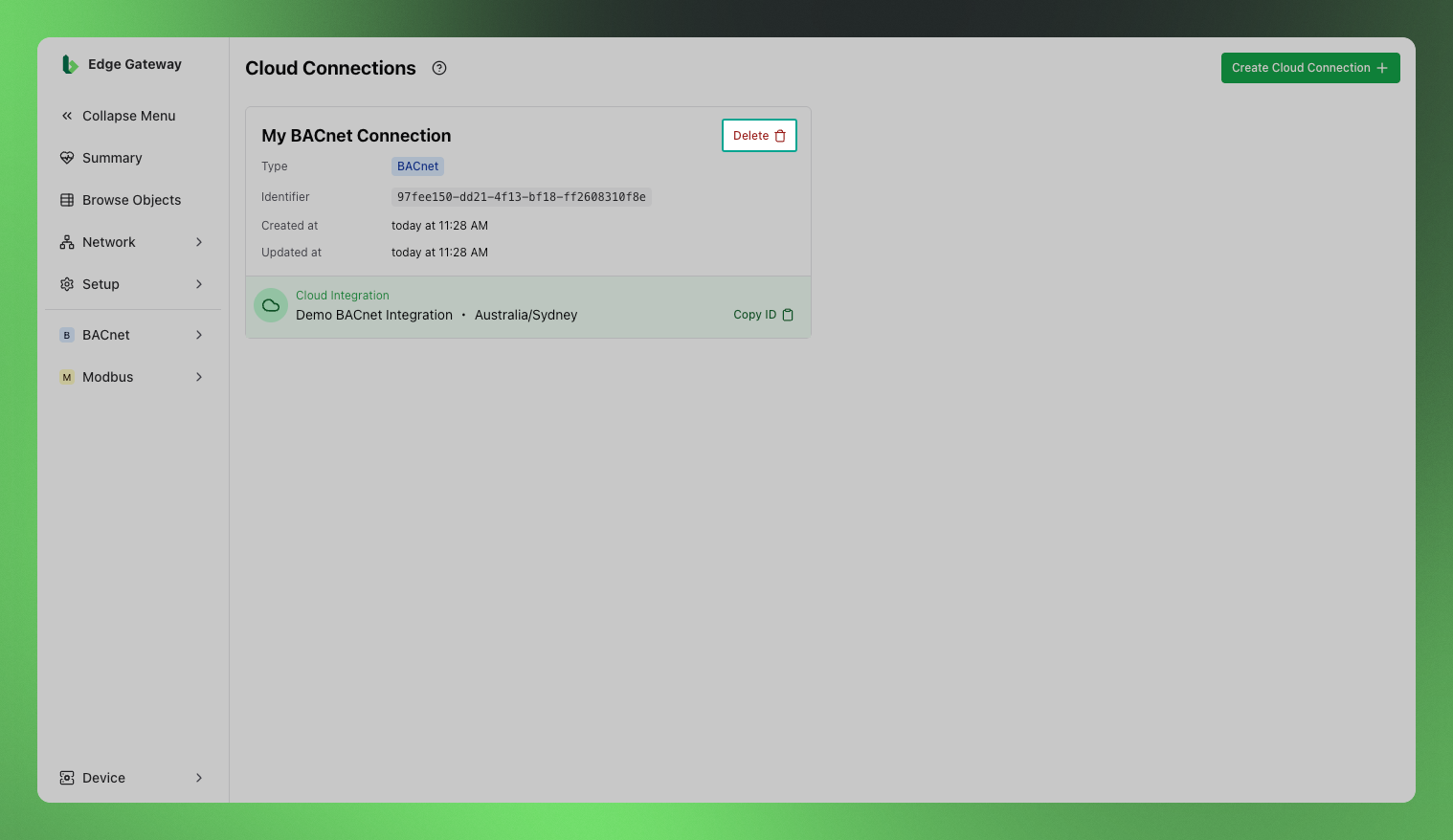
If you need to change some details in an existing Cloud Connection it is safe to delete and re-create it with those changes.
You won't need to create a new Integration in the platform if you don't want to, you can re-select one that has previously been created.