Neeve Installation Guide
The following procedure outlines how to install the Bueno Edge Gateway (BEG) software in the Neeve environment.
Pre-installation
-
Confirm with your Neeve provider that the Bueno Edge Gateway service is available in the Marketplace for your organisation. This service is not available by default for all organisations and will need to be manually added by Neeve support.
-
Generate the required configuration fields in the Bueno Web App.
Navigate to Deployments > Devices and click New Gateway.
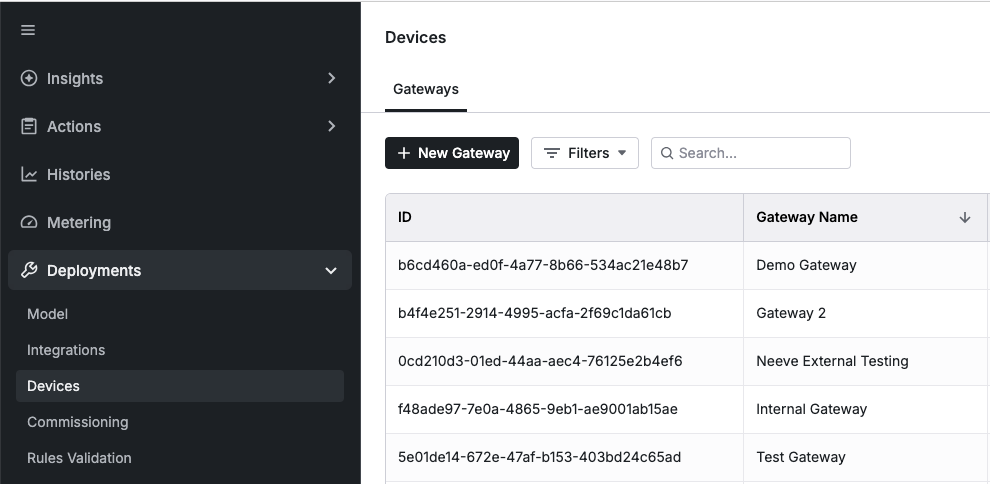
Select an Organisation and enter a unique name for the Neeve service.
Click Create Gateway to generate the configuration fields.
noteAll generated fields are required for configuring the Neeve service and are only available once. Make sure to copy them safely before proceeding.
BEG Software Install Process
-
Install the Image Pull Secret.
In Neeve Secure Edge, under Marketplace > My Services, select the Secrets tab.
Click + to create a new pull secret.
Enter a unique name and paste the image pull secret generated in the Bueno Web App.
-
Install the Bueno Edge Gateway service on your Neeve Node.
Follow the relevant Marketplace service installation instructions for your Neeve setup.
2.1 Enter your network and service name as per your site.
2.2 Populate the Bueno Edge Gateway fields:
- Image Pull Secret: Select the image pull secret created in step 1.
- Bueno Edge Gateway Version: The latest supported version is
aeeaf75a. - Bueno API Endpoint URL: Your tenant's Bueno API host, e.g.
au.api.bueno-analytics.com. - Bueno Edge Endpoint Host: Your Bueno Edge host, based on your region:
- AU:
au.edge.bueno-analytics.com - UK:
uk.edge.bueno-analytics.com - EU:
eu.edge.bueno-analytics.com - US and North America:
us.edge.bueno-analytics.com
- AU:
- Bueno Gateway Username: Paste the gateway username generated in the pre-installation step.
- Bueno Gateway Password: Paste the gateway password generated in the pre-installation step.
Post-installation
In the event you encounter memory limits on your BEG software on a large deployment, you may need to manually increase the memory limit on the supporting service.
-
Navigate to Nodes > All Nodes, select the node you have deployed the BEG software to, and then the Services tab.
-
Identify the affected service, click ⋮, and select Edit Service.
-
Navigate to Configuration and increase the Memory Limit.